Wednesday, August 18, 2010

Back in business

Some CPR and a shock with the defibrillator and we're back in business. Not without some scars though (power LED refuses to work although it flickers every now and then). I'm confident that all I have is a loose connection or two and that should be easily fixable.

What's of interest now though is that I still have the LED strip from the keyboard backlight. Once everything is secure I'm wondering if it could be incorporated into some form of case lighting....hmmmmm.

To whet your appetite for pictures, here's a crappy iPhone shot of the unit in use (writing this post actually), running off battery (so keyboard and trackpad are not on top. Once I extend the battery cables that big black thing will shift down and fits almost perfectly above the motherboard. As an added bonus, it also shields the trackpad from RF interference from the wifi/bluetooth module.


Uh Oh :-/

Hmm...slight setback.

The last day I've been concentrating on work. In my free time I've been looking at extending the power lead for the battery as well as get the hole drilled for the power button.

The first setback is that the MagSafe connector pulled itself free while I was playing with the battery location and in the process damaged the plastic plug on the motherboard. The pins look undamaged but I'm yet to plug in mains power to see if any smoke comes out. All going well i'll permanently seal this up with a dab of hot glue.

The second setback is a bit more annoying. The little module with the IR sensor, power light and the little black other thing on it has stopped working. If you've been keeping track you know this means the machine thinks it's overheating or something and throttles the CPU (I.e. kernel_task shoots to 150%)

Any apple techs that may come across this and want to share their insight I'd be most grateful (I know you're watching....google analytics tells all ;)

In the meantime I'll make sure the contacts are clean and no traces are cracked and hope for the best.

Monday, August 16, 2010

Thermal battery test

So I think I'm going to be able to include the battery in this project after all.

Here's the battery sitting under the keyboard (trackpad removed for illustration).


You can see the location of the power LED here too. The IR port is just to the left of that.

Anyway, the battery should fit with a little modification. I'll have to cut a rebate in the back and there's a couple of tabs on the right hand side that feel like they have nothing in them so they can be chopped off as well (I think...don't want to be cutting into lithium with a dremel). I'll also have to extend the power cables as they won't reach the way they are (it's not plugged in in the pic above).

The main issue will be temperature.


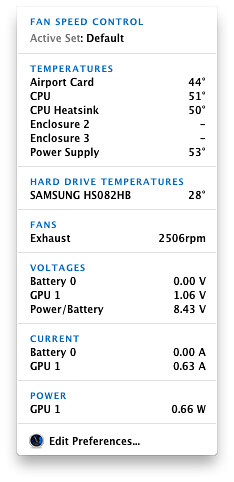
Without the battery in there the CPU idles around 45 degrees but with it just sitting on top with a good 10mm of clearance it's hovering between 52 and 55 degrees. That will increase when I lower the whole thing down so it means I have no option but to grab an unused GPU fan from somewhere and hack it in there to keep things cool. I imagine the temps will rise a bit if the CPU/GPU starts working hard (what the thermal tolerance of a lithium ion battery anyway...must look that up)

Yes I could have just left it all in the case the Air came in but there's no fun in that now is there? As for why one would want a big arse battery inside a keyboard...why not?...I wouldn't have to if Apple had a CMOS battery on the motherboard but they don't do that anymore. Plus the motherboard is designed to expect a battery and it works a whole lot better if there is one in there.

On the other hand, how many keyboard computers have a built in 6hr UPS huh?

An added bonus

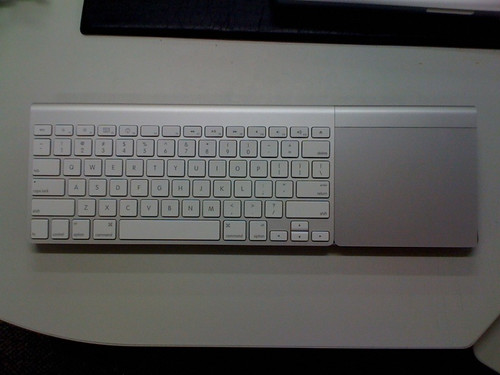
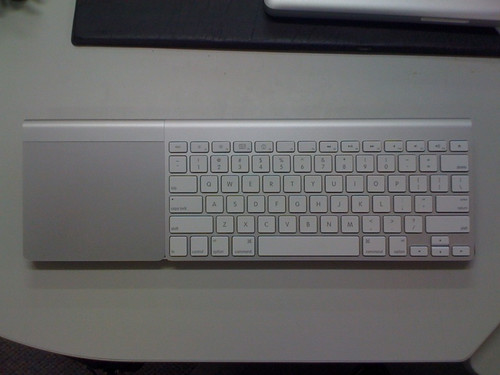
This didn't dawn on me before because I'm right handed...but my son is a leftie so might appreciate the advantage of having non-hard wired keyboard and trackpad.

Right handed

Left Handed


Ahh...anyway, off to lower the shocks and put on some 20" spinners. I'm not too concerned if I screw up the base at this stage as the internals aren't going to be that neat anyway. I've drawn up a basic plan and if worse comes to worse I'll get a local shop to cut some sheet metal and bend it all to shape (basic wedge box profile but the advantage will be I can get all the ports cut at the same time...and neatly :)

Good Morning Reddit

Went to bed and woke up with 75k hits...70k of which are from reddit :)

The main criticism I got from there was why I hacked off a perfectly good keyboard and trackpad. Well, I didn't initially....but both keyboard and trackpad were heavily used (the button on the trackpad was half jammed) and so I decided 'what the heck' and decided to do what I did. It's not useable as a laptop anyway so why not.

:)

Sunday, August 15, 2010

Update

------
Update: I've had several questions/comments about the fact that it's full of duct tape. I'll just say that at the moment it's still very much a work in progress and the tape works well for holding things in place and is also non-conductive.....plus it also holds the universe together so whatever can do that can't be half bad now can it ;). The motherboard is held in place by screws but that's about it.


Things still left to do:
1) cut a hole in the back for the power switch
2) re-route the bluetooth antenna.
3) lower everything by about 5mm (it's a nice height but can be lower still)
4) route an extension cable for sound
5) re-attach the USB port side
6) secure the trackpad and keyboard in place.
7) general tidy up and neaten things off.

I'd like to be able to keep the keyboard and trackpad separable. Once the fun of this little project is over I'd like to have them usable on my iMac (although I prefer the wired keyboard with the numpad)...after all, it's no longer a laptop. It's a desktop and an underpowered one at that (although according to geekbench  it will give a dual G5 powermac a run for its money...for whatever that's worth). I doubt it will be used much beyond internet/email....maybe as an AppleTV replacement or something but that's about it I'd think.

Oh...and as to why I chose to pull it apart instead of getting it repaired, potentially for free, by Apple? Simply because it was written off so would have been junked anyway and hacking it is more fun then sending it away. I wasn't confident Apple would repair it for free anyway (under the "dodgy macbook air hinge" excuse)...although technically all the pieces 'could' be put back together if I could remember where all the screws go. If Apple want to replace a bucket of parts for free I'm happy to sent it to them :)
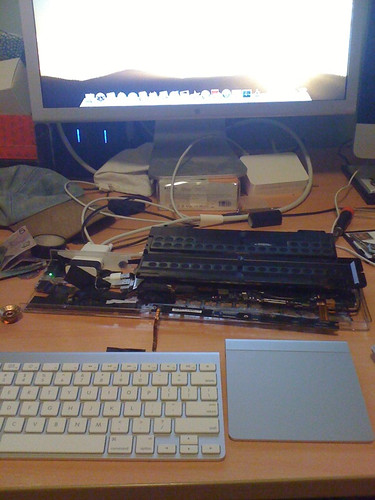
Interference

Hitting upon a small snag whereby the bluetooth antenna is too close to the antenna for the trackpad (Hello Apple...wired trackpad please )

Anyway, I have a fair few options for relocation. I'll test running it up along the back of the case and see what happens. Wifi appears to be fine as is the keyboard...but then the keyboard antenna appears to be in the rear of the unit whereas the trackpad antenna is in the base....all I have to go on there is the iFixit teardown and the reception issues I've been having so take that information with a grain of salt.

All experimentation and all fun and that's what it's all about now isn't it :)

I'm also getting some clip brackets made up so the keyboard/trackpad snap into place and are easily removed for battery replacement. (again apple...wired track pad please...then I can permanently fix the thing in pace).

Other than that, everything is working nicely. Will post a boot up video.